


Customers worldwide rely on Wavecrest Computing for accurate, reliable Web-use management software–backed by a customer support team dedicated to your success.
WatchGuard Firewall (XML Format)
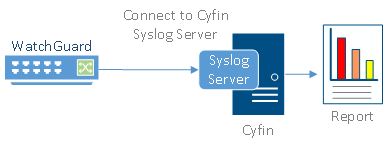
Cyfin is designed to work with WatchGuard Firebox models. It integrates easily into your current system configuration. Scroll down or click on these links for details.
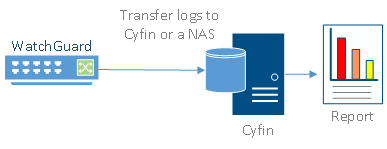
Cyfin is installed on a server, not on the WatchGuard appliance
Logfile Setup
Logfile Type: Watchguard Firebox (XML
Format)
Default Directory: (drive):\My Documents\My WatchGuard\Shared WatchGuard\reports
Configuration Notes
If your Firebox version logs to the XML format, there is very little that you need to do besides point Cyfin to the directory where the logs are stored!
NOTE: WatchGuard HTTP proxy logging must be turned on to supply the logging information required for reports.
The Watchguard logs should appear as .xml files in the following path: (drive):\Watchguard Logs\...
WARNING: By upgrading to the WatchGuard Fireware® 11 and Edge 11 OS releases for WatchGuard Firebox X Peak, Core and Edge families of appliances, you will lose the XML log file function from your previous version. The logging will default to using the PostGRE SQL database storage format if you upgrade to the latest version of Cyfin.


-Allen Lochamy, Atlanta Bonded Warehouse


