
Comprehensive Employee Reporting
Accurate analysis of employees´ Web-use activity.
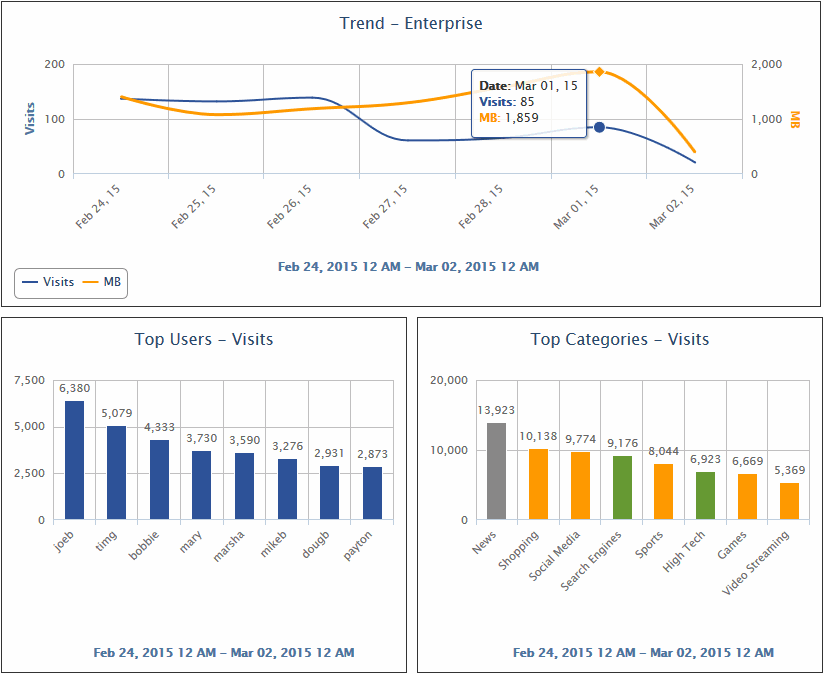
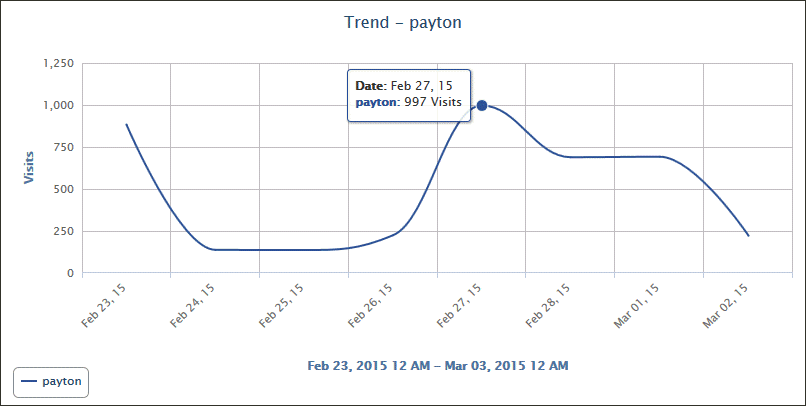
- Dashboard view provides an overall picture of the organization's Web activity.
- Easily spot spikes in bandwidth and employee Web use reports in the Dashboard trend charts.
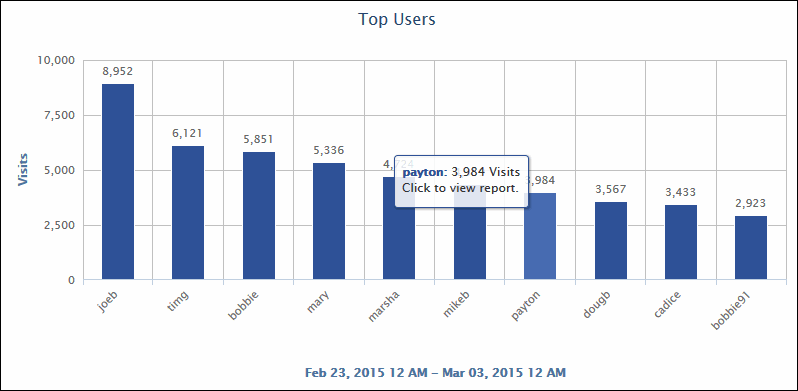
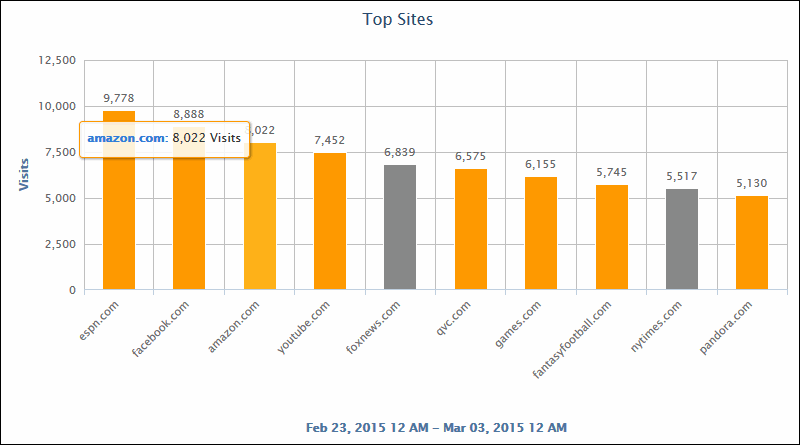
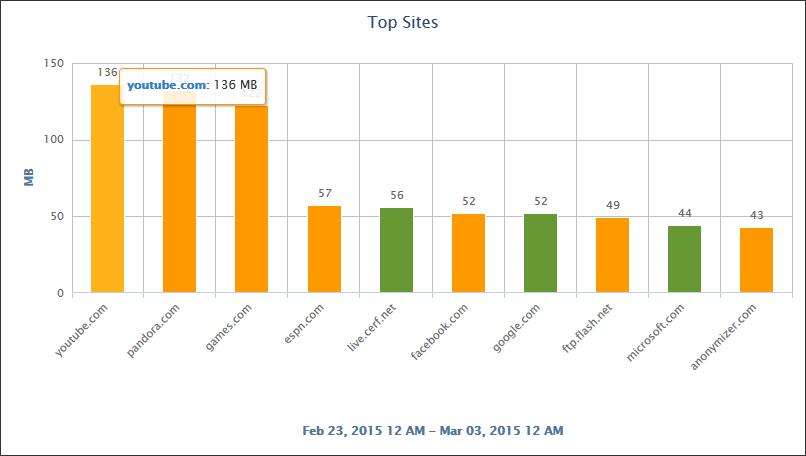
- Top charts let you quickly see your top users, groups, categories, and sites by visits, hits, or bytes.
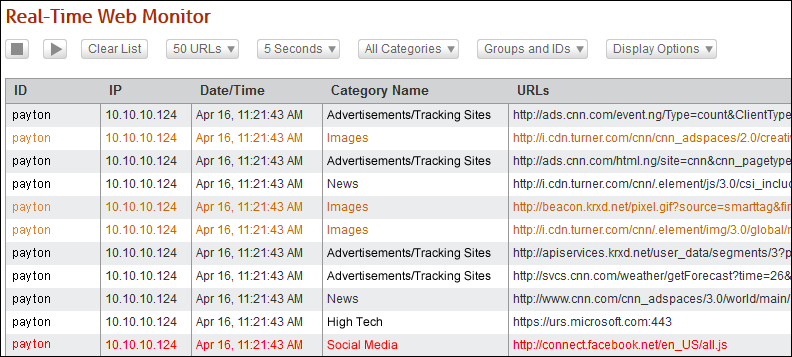
- Real-time monitors provide a live view of Web activity and bandwidth usage.
- Customizable high-level and low-level reports show Internet activity by the entire organization, groups, users, categories, sites, classification ratings, and bandwidth.
- Unique Data Warehousing approach easily handles large amounts of data, speeds up reporting, and lets you export Internet-use data into other applications for further analysis.
- Offers comprehensive and multi-dimensional metrics by analyzing Web-use (i.e., user click actions) hits and bytes.
- Drill-down capability to quickly get URL detail.
- Report Scheduler runs and distributes reports automatically by e-mail or to a saved directory.
- Access Accounts allow non-administrator personnel to run reports on authorized users and groups.
- Automatic Abuse Detection system identifies Internet abuse instantly.
- Custom Categories allow you to closely monitor sites of specific interest.
- Anonymous ID option ensures that ID names and IP addresses do not show in reports.
Dashboard
The Dashboard provides multi-perspective, high-level line graphs and bar charts. A number of these ‘quick-look’ displays depict Web-use activity trends from a variety of perspectives. Others compare activity between users, groups, content categories, and sites. The Dashboard’s easy-to-interpret charts provide an efficient way to quickly determine the amount and characteristics of Web activity and identify problems that may exist.
Real-Time Employee Web-use Monitoring
Real-time monitoring gives you insight into what Internet activity is occurring in your organization at any given time. One of the major benefits of real-time monitoring is that it can help you easily spot the culprit of a reported network slowdown so that you can act fast. Wavecrest provides two real-time monitors.
- Web Monitor - View each URL visited by user. (See example of monitor below.)
- Bandwidth Monitor - View live top bandwidth usage by user.
Web Monitor |
 |
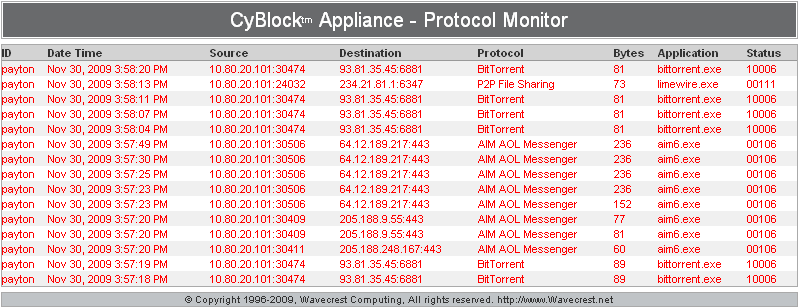
Comprehensive Reports
Our comprehensive templates provide a variety of summarized and detailed Web-use activity reports on users, groups, categories, sites, acceptability ratings, and bandwidth. You can specify parameters and preferences to display categories, number of users, all hits or visits only, time frame covered, and groups or users to be covered. These reports can be saved, sent via e-mail, and scheduled.
| Drill-Down Capability Start with a high-level report. Click on an element to narrow your focus. Click again to see the detail you need. |
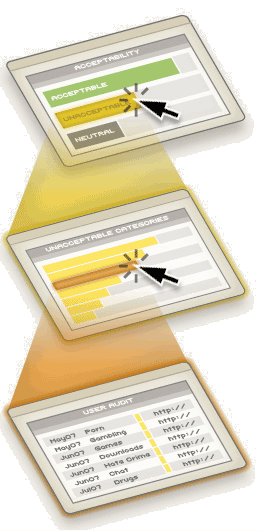 |
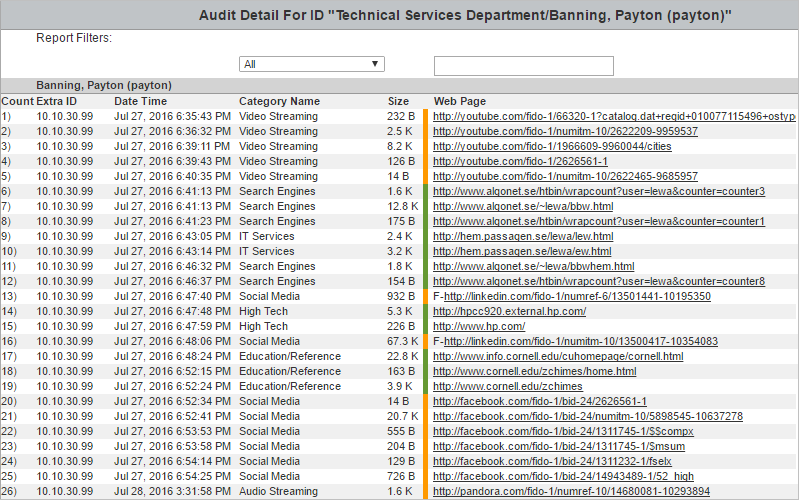
| User Audit Detail One of our most detailed and popular reports, the User Audit Detail displays every URL accessed and its category by user for the time period specified. |
 |

